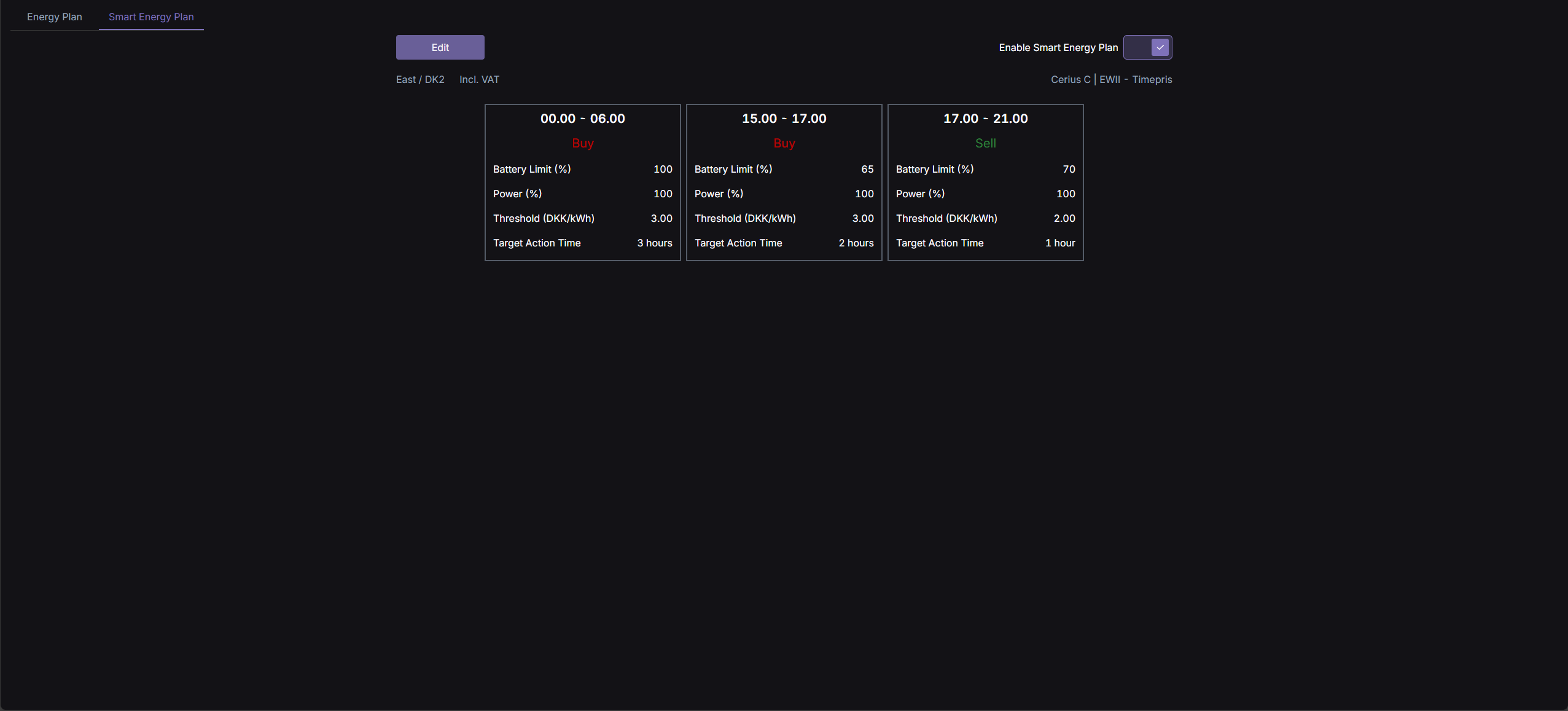
On the Web Portal's "Smart Energy Plan" page you can view and edit the rules for your Smart Energy Plan.
These rules allow you to control the parameters for when the system should sell and buy power.
¶ Create Smart Energy Plan Rules
Click Edit to create and edit your rules. Below is an example of a Buy rule.
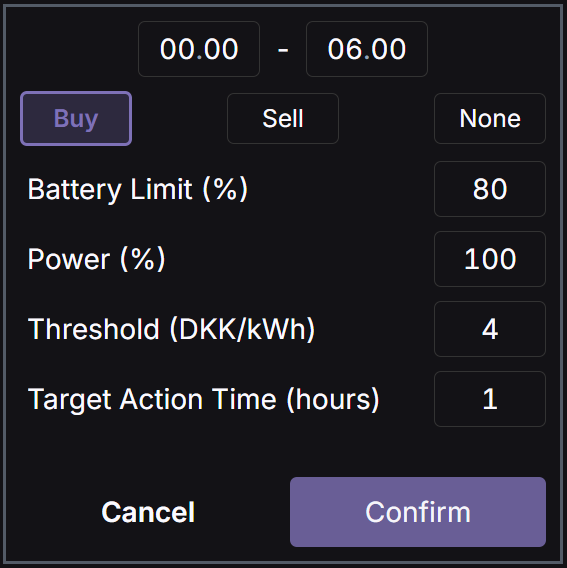
At the top, the time span is set to 00.00 - 06.00 meaning this rule will be active between these times. Below this, Buy is selected.
-
Battery Limit (%): This defines the desired SOC (State of Charge) for the battery. For a Buy rule, this is the highest SOC level, which the battery may be charged to when buying energy. For a Sell rule, it is the lowest SOC level that the battery may be discharged to when selling energy. For a None rule, this defines the SOC that the battery should be kept at.
-
Power (%): The percentage of power your inverter is allowed to draw from the grid.
-
Threshold (DKK/kWh): For buying, this is the maximum price at which energy may be purchased - this is the total price according to your settings and Electricity Agreement, including tariffs and fees. For selling, this is the minimum price at which energy can be sold. Sell price is the spot price excluding VAT.
You should configure your Electricity Agreement in the top right corner for Smart Plan to use the correct buy prices for you
- Target Action Time (hours): This is the desired number of hours during which buying or selling should occur within the selected time span. For example, if you create a Buy rule spanning 6 hours with a Target Action Time of 3 hours, PlexusGrid will identify the 3 cheapest hours within that timeframe and purchase energy during those hours while considering the other parameters.
When you have created your rules and configured your Electricity Agreement, click Save and remember to Enable Smart Energy Plan in the top right corner as well.
¶ What rules should I create?
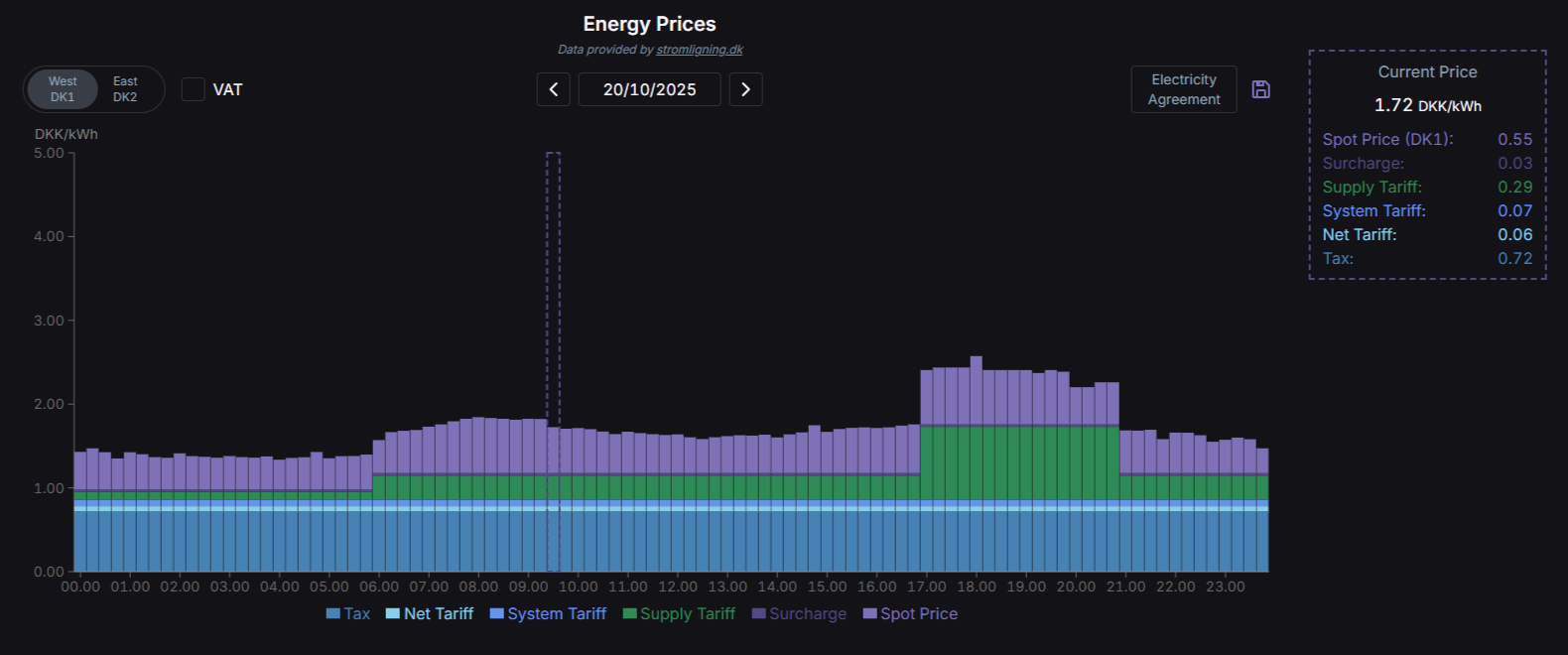
Given the below example of energy prices over 24 hours, it would be advantageous to sell during the peak hours between 17.00 and 21.00.
The most advantageous time for buying, and thereby recharging your battery, would be between 00.00 and 06.00 as this is the time of day with the lowest prices.