In order to monitor and control your personal power network, you need an account on the PlexusGrid Web Portal as well as a physical Edge Device connected to your inverter.
Follow the guide below to create a new account on the Web Portal. If you already have an account, you can log in here.
¶ Create a New User
Go to the Register page
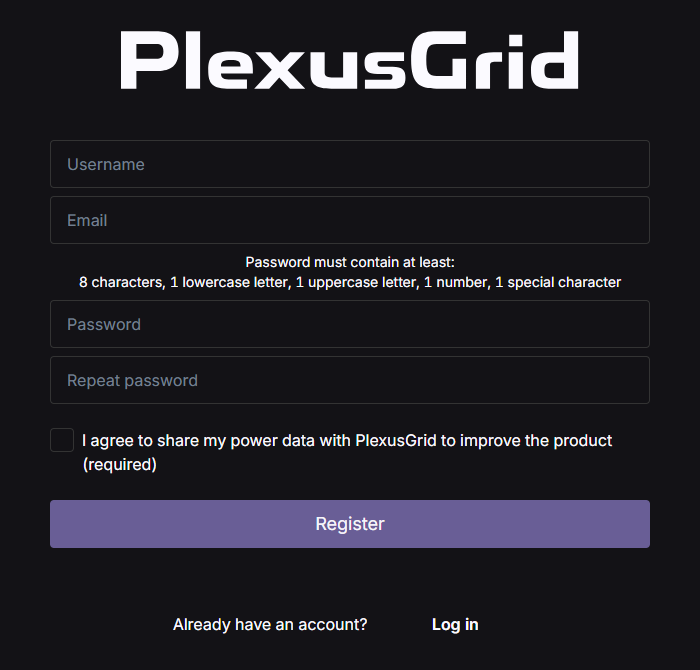
- Username: Choose one you can remember, as you will need it every time you log in
- Email: Enter the email address you want to use for the account (you will need to have access to this to verify your account)
- Password: Choose a password. The password must follow these rules: At least 8 characters, 1 lowercase letter, 1 uppercase letter, 1 number, 1 special character
You must agree to share your power data with PlexusGrid. It will only be used to improve the product and will not be shared with third-parties.
Then click Register. After this, you will be redirected to a page where you need to verify your account.
¶ Verifying the account
You should now have received an email from noreply@plexusgrid.com, at the email address you entered (remember to check your spam folder). It will contain a verification code that you must enter to complete the registration process.
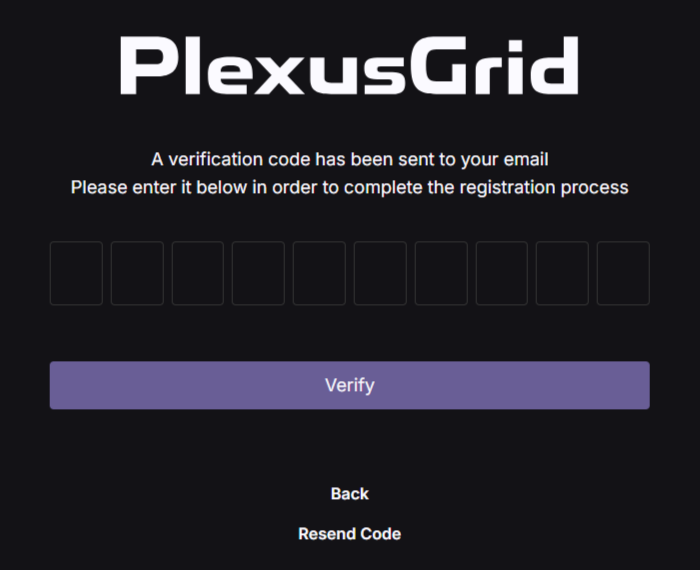
If the email hasn’t arrived and you have checked your spam folder, you can try clicking Resend code.
That’s it — your account is ready for use.